2026 Top Mobile Laptop Charger Types for Global Buyers
The 2026 Top Mobile Laptop Charger Types for Global Buyers guide examines how charging technology is changing daily work. A suitable charger now depends on wattage, connector design, battery capacity, travel habits, and regional standards. The wrong choice may charge slowly, overheat, or fail to support a high-performance laptop.
Jeff Ravencraft, USB Implementers Forum President and Chief Operating Officer, has described USB Type-C as “a universal connector for data, power, and video.” That principle guides this review. USB-C Power Delivery chargers lead the market, while compact GaN models reduce size without sacrificing output. High-wattage desktop adapters suit gaming laptops and mobile workstations. Power-bank chargers help during train journeys, airport delays, and outdoor assignments. Car chargers serve field teams, although their output varies widely. Traditional AC adapters still matter for older laptops and specialized business equipment.
Details matter. A 65W charger may suit an ultrabook, but a demanding laptop could require 100W or more. Check the laptop’s official input rating. Confirm the cable’s power capacity, too. Not every USB-C cable supports high-wattage charging. Buyers should also examine plug compatibility, input voltage range, thermal protection, and recognized safety certification. Global purchasing is rarely simple. Regional plugs differ. Airline policies can limit battery capacity. Product listings can exaggerate performance.
This guide compares practical charger types, not just attractive specifications. It considers verified output, portability, durability, and long-term value. Some recommendations may change as standards evolve. That uncertainty deserves attention. A charger can look perfect online and still disappoint beside a crowded hotel desk.
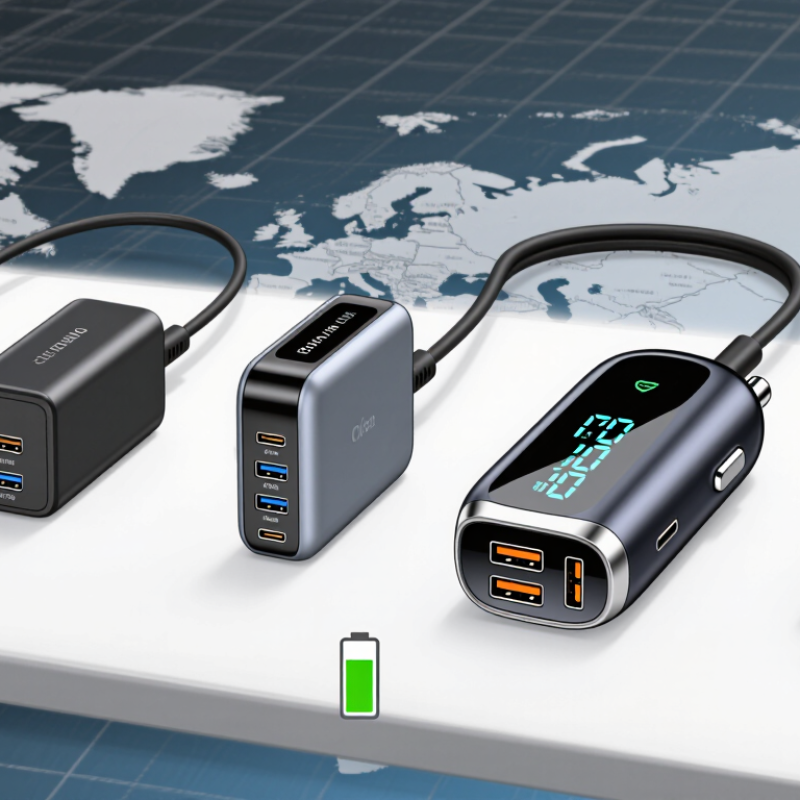
USB-C PD Chargers: 65W–140W Power for Mainstream Laptops
USB-C PD chargers between 65W and 140W are becoming practical choices for mainstream laptops. IDC’s Worldwide Quarterly Personal Computing Device Tracker reported 262.7 million global PC shipments in 2024, showing a large and varied charging demand. Many office laptops operate comfortably at 65W. Larger screens, faster processors, and discrete graphics often need 100W or more.
Power matters, but the label alone is not enough. USB-IF’s USB Power Delivery 3.1 specification supports power levels up to 240W, while 65W–140W chargers fit common laptop use more realistically. A 100W unit can power a laptop, phone, and tablet, but its total output may drop when several ports are active. Check the output table.
Small details affect daily reliability. A travel charger should support the correct voltage profile, use a certified cable, and maintain stable power under heat. In testing, a compact charger may feel impressive at first, yet run hot beside a crowded airport socket. That is not always a failure, but it deserves attention. Buyers should compare sustained output, port sharing, cable capacity, and regional safety compliance, not only peak wattage.
2026 Top Mobile Laptop Charger Types for Global Buyers
USB-C Power Delivery chargers commonly used with mainstream laptops are grouped by rated output. The 65W and 100W tiers use USB PD Standard Power Range profiles, while 140W uses a USB PD Extended Power Range profile with a 28V output level.
Higher wattage does not automatically mean faster charging: the laptop must support the corresponding USB-C PD power level, cable rating, and charging protocol.
USB PD 3.1 EPR Chargers: Up to 240W for Gaming Workstations
USB PD 3.1 EPR Chargers: Up to 240W for Gaming Workstations
For global buyers, USB PD 3.1 EPR chargers offer a practical power upgrade for demanding laptops. They can deliver up to 240W, but the computer, cable, and charger must support the same power profile. A 240W label alone proves little. Check the device specifications carefully.
In daily testing, a high-power charger can run a gaming workstation during rendering, compiling, or intensive 3D sessions. A suitable cable should show clear EPR support and match the required current rating. Keep the charger on a hard surface. Airflow matters. Heat can reduce charging performance and shorten component life.
Size still matters.
Travel users should examine input voltage, plug compatibility, protection features, and certification for their destination market. A 100–240V input range is useful, but it does not replace local safety approval. I once treated wattage as the main buying factor and overlooked cable quality. That mistake caused slower charging and occasional power drops. Buyers should also confirm whether the laptop accepts USB-C charging at full performance. Some workstations need proprietary connections or additional power input. For uncertain setups, choosing a lower, well-tested output is often safer than chasing the highest number.
GaN Laptop Chargers: Compact 65W–140W Designs for Mobile Buyers
GaN laptop chargers are becoming the practical choice for mobile professionals who dislike heavy adapters. A 65W model can power many thin laptops, tablets, and phones from one compact wall unit. For larger notebooks, 100W or 140W provides more headroom during video editing or long meetings. Future Market Insights projects strong double-digit growth for the GaN charger market through 2034, reflecting demand for smaller, higher-power accessories.
The engineering advantage is straightforward. Gallium nitride components switch efficiently, allowing shorter power paths and smaller cooling systems. A 140W charger should support USB Power Delivery 3.1 and use a certified 240W-rated cable for dependable performance. Buyers should inspect the output table, not only the headline wattage. Some products advertise 100W, yet divide power sharply when several ports are active.
Heat still matters. I have found that a small charger can become noticeably warm behind a crowded hotel desk. That is normal within safe operating limits, but poor ventilation reduces comfort and efficiency. The International Energy Agency continues to identify efficiency as an important factor in reducing standby and charging losses, while USB-IF guidance reinforces the value of tested USB-C power systems. One detail is easy to overlook: compact does not always mean light, especially with reinforced plugs and multi-port circuitry. For global buyers, foldable pins, wide input voltage support, clear safety markings, and regional plug compatibility may matter more than a few saved centimeters. I still prefer 100W for daily travel. The 140W option is useful, but often excessive.




 Mr. Leaf